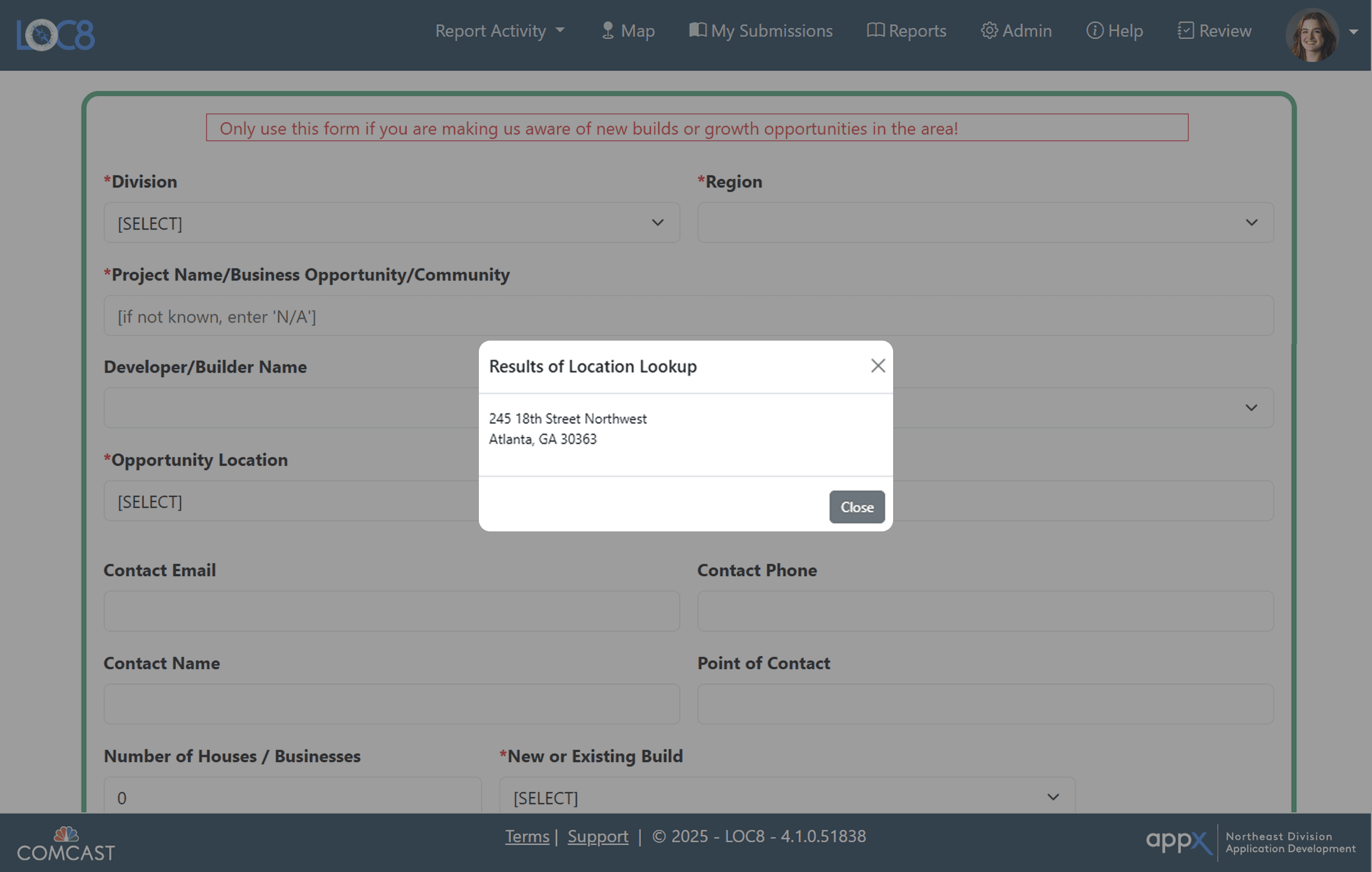
The Loc8 tool was used by employees to log and track site locations for new builds and existing service work. The original experience relied on a long, dense form that made it difficult to quickly input information.
Timeline
4 Weeks
Role
UX Designer
Skills
The existing design introduced friction through long, form-heavy layouts, unclear submission feedback, and a structure better suited for desktop than mobile use. Users lacked clear confirmation after submitting and were often required to enter more information than necessary for a simple reporting task.
This project explored how the experience could be improved to better support quick, efficient reporting. The goal was to reduce friction and make the process feel fast, clear, and easy to complete in the moment.
How Might We…
How might we redesign the reporting experience to be faster, and reduce the amount of effort required to complete a report?
Long Form with heavy Input Quick Reporting MAde more complex tahnt intended
The reporting tool was intended for quick, in-the-moment use, but the experience required more time and effort than expected. Stakeholders also wanted to modernize the interface, creating an opportunity to simplify and streamline the overall experience.
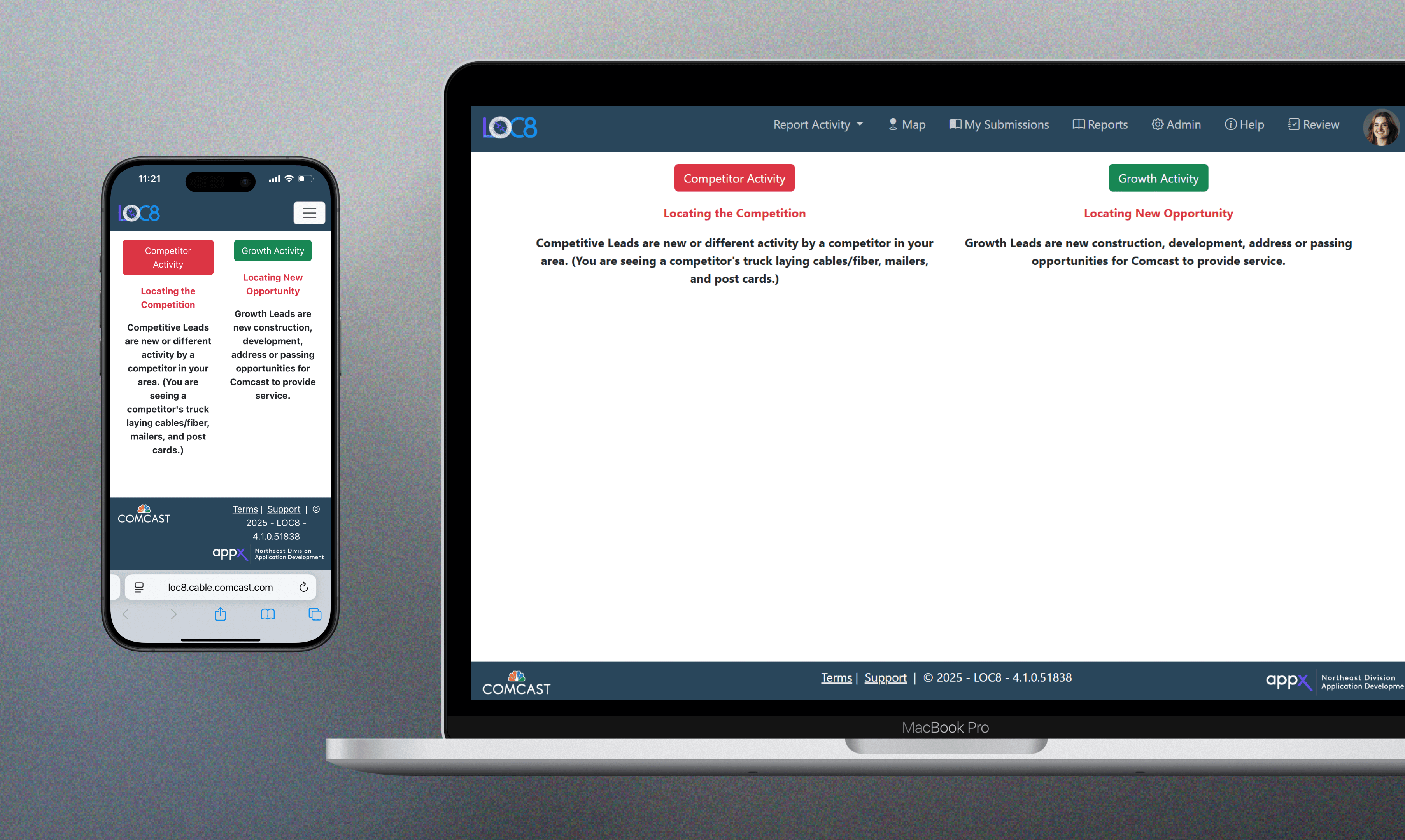
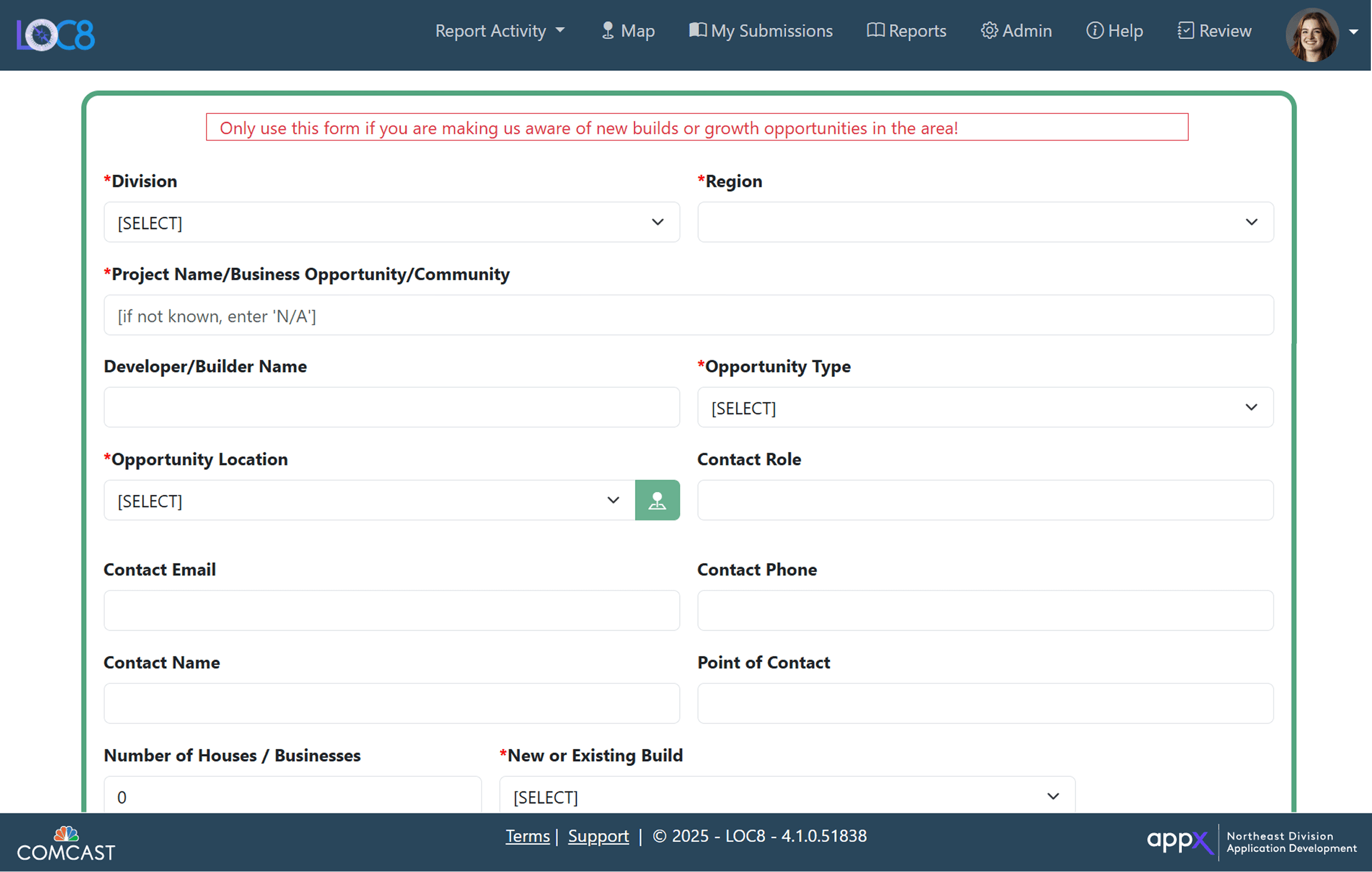
Long Form with heavy Input
Users were presented with too many fields at once, making a simple task feel time-consuming. The lack of structure increased cognitive load and slowed down completion.
Some fields also required manual input when they could be inferred by the system, adding unnecessary steps to the process.
Unclear Submission Feedback
After submitting a location pin on the map, users were not given clear confirmation that their activity had been recorded. They were still required to complete and submit the full form, which created confusion about whether the action was already complete.
As a result, some users left the process early, assuming their submission was finished.
Understanding the User
To understand the issues with Loc8, I looked at the product from both the user side and the system side.
I met directly with an employee who actively uses the app to walk through their experience in real time. This helped surface where the process felt slow, confusing, or unnecessary during actual use. On the system side, I spoke with the original developer who built the app to understand the intent behind the current structure. This gave insight into why certain decisions were made, what constraints existed, and how the app evolved over time.
By combining these perspectives, I was able to see both what users were struggling with and why the system was designed the way it was, which helped guide more realistic and effective design decisions for the updated platform.
Paint Points
The form was too long and input-heavy, making a quick reporting task feel slow and draining
The submission flow lacked clear feedback, especially after dropping a pin, leading to confusion and early drop-off
Users were asked to manually enter information that could be inferred by the system, adding unnecessary friction
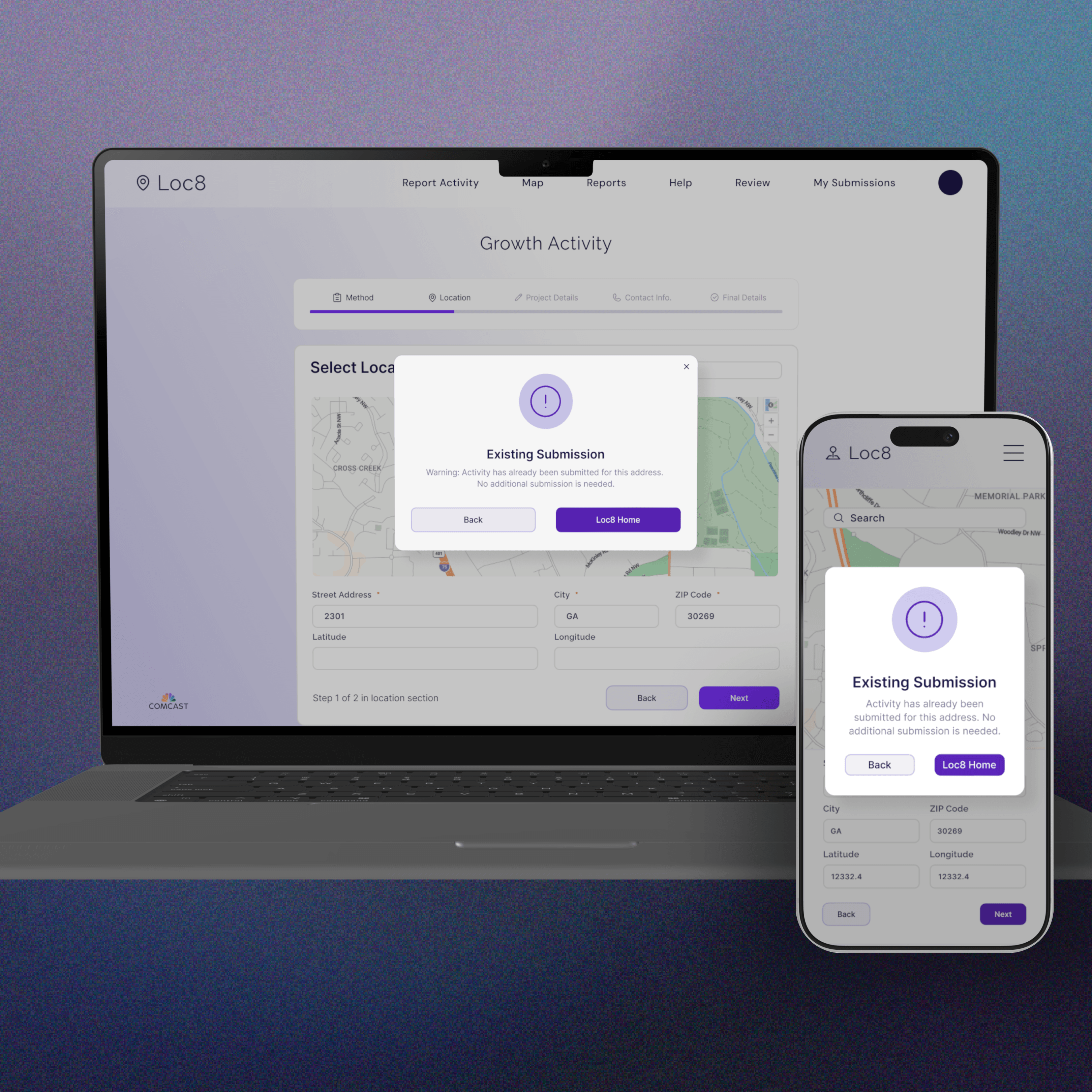
There was no visibility into existing submissions, causing duplicate reports and uncertainty around whether action was needed
Understanding the Project Manager
I listened in on meetings with both the developer and project manager to understand the changes already in progress and the user needs being raised. Although my designs were not part of the immediate release, this context helped ensure my work aligned with the product’s direction and could support future development.
Key Insights
01
Users are often in the field and need to move quickly, but the flow slows them down, so it should be more streamlined
02
Manual input adds friction, especially when the system could infer it, so effort should shift to the system
03
The submission process does not clearly show completion, so stronger confirmation is needed
04
Users cannot see existing submissions, which leads to duplicates, so the system should surface them
The final design delivered a web-based dashboard that centralized loan information, documents, and support resources into a single, transparent experience.
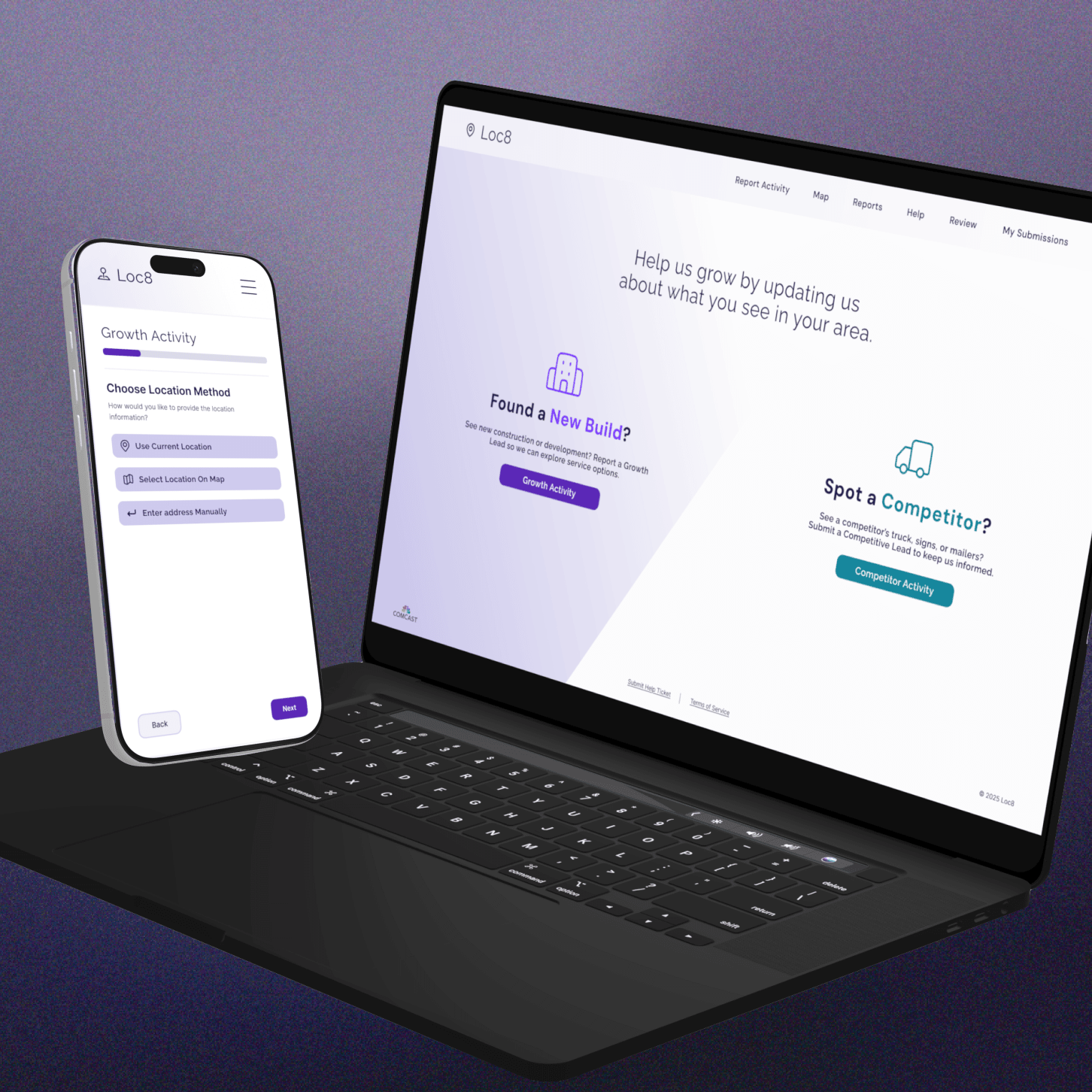
Catered Location Input Options
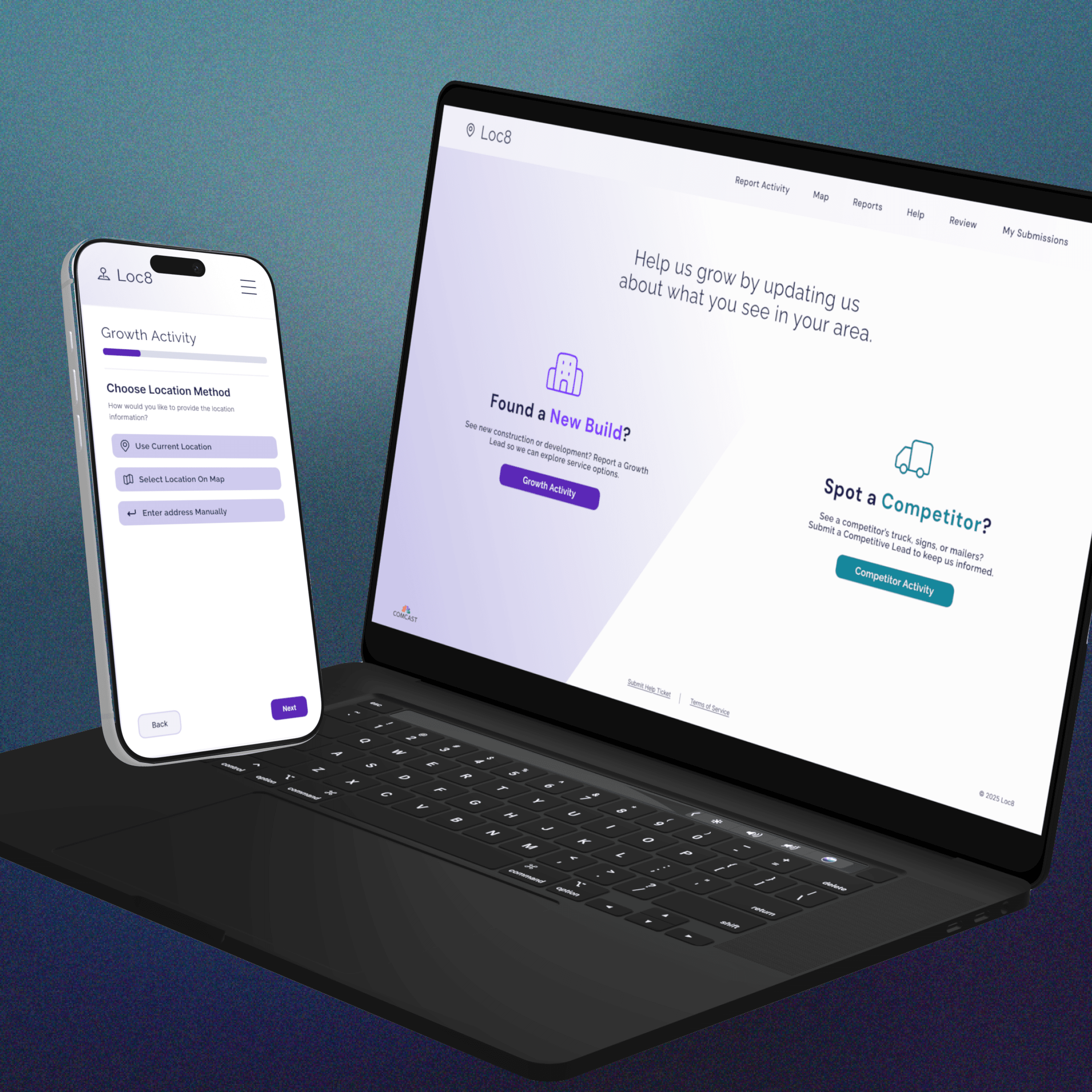
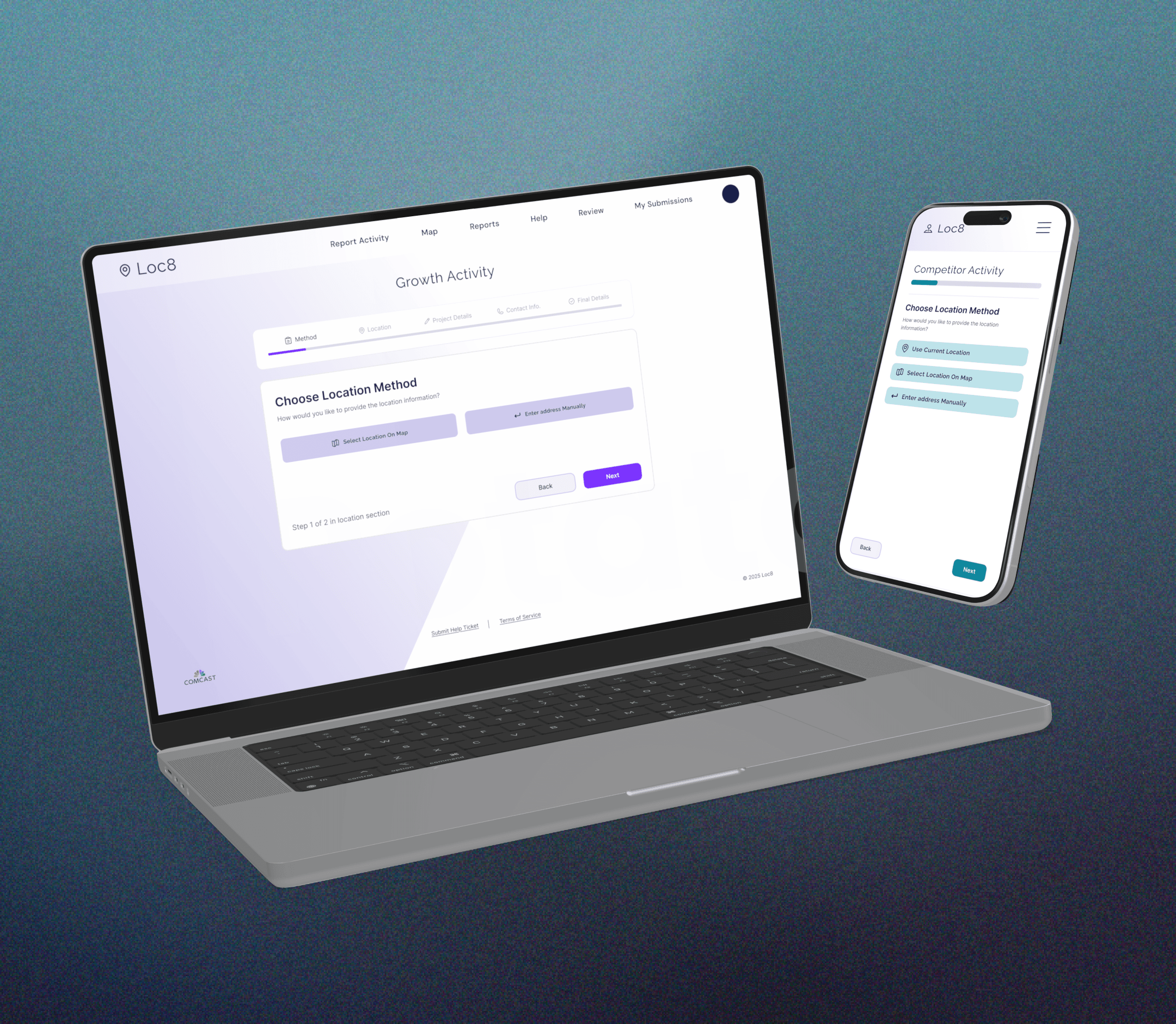
Users start by choosing how they want to input a location. On desktop, this is done by selecting a point on the map, while on mobile, users can also use their current location or type it in. This makes the first step more flexible and better suited to each device.

AutoFilled and Simplified Reporting INput
Once a location input is chosen, the reporting flow begins with a simplified structure, with information auto-filled when possible. Users can quickly submit the location and immediately see if a submission already exists. If not, they can continue with the report.
Faster, Clearer Submission
Some additional information is still required from the user, but it is greatly reduced through backend filtering and autofill. At the end of the process, users receive a clear confirmation that their report has been successfully submitted, removing uncertainty and reinforcing completion.
Without a long, input-heavy form, the experience feels faster and easier to move through. Reduced input, along with autofill and clearer feedback, creates a quicker flow and a smoother submission overall.
This project focused on modernizing an internal tool that was built quickly to meet immediate needs, without a formal design plan. These tools were created for functionality first, not experience, which led to flows that, as more business requirements were added over time, became overwhelming.
By rethinking those flows and simplifying the experience, I was able to turn a heavy, input-driven process into something faster and more intuitive.
As the only designer, I worked closely with developers to understand the system, its constraints, and the reasoning behind existing decisions. This helped me design solutions that were not only user-focused, but also aligned with business requirements, evolving needs, and project priorities.
If you want to see more of the flow or the full experience, feel free to reach out!
Lizzy O'Brien Case Study — 2026
COLLECTIONS DISPUTE UI